Blog Inside Sneeze It · Inside Studio · Part 1
Approve exactly what will run, not a picture of it
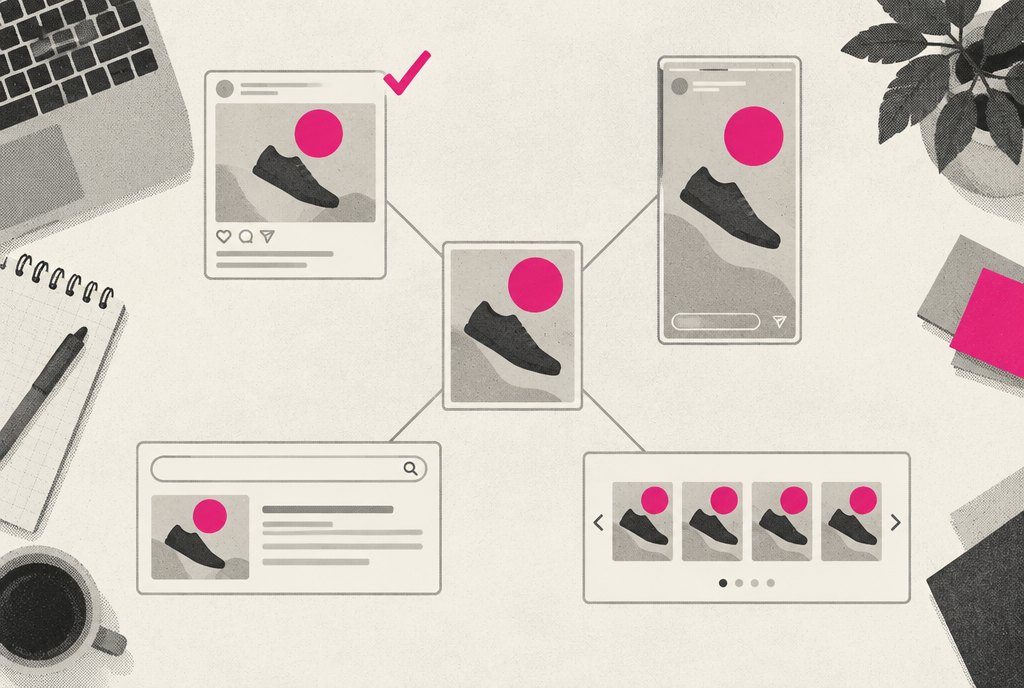
Most ad approvals happen on a flat image in an email. In Studio you approve the ad inside the real Facebook, Instagram or Google frame, and the version you approve is the version that runs.

If you run marketing for a group of locations, you have approved an ad from a JPEG. Someone emailed a flat image, you squinted at it on your phone between meetings, you wrote "looks good," and a week later you saw the real thing in your feed. The headline was cut off after the fourth word. The price sat under a "See more" link. In the story version, the button covered the offer.
None of that was anyone's fault. The image you approved was a picture of an ad, and the ad that ran was something else: the same artwork wrapped in a platform's frame, with that platform's truncation rules, safe areas and buttons. We built Studio so that gap does not exist. You approve the ad as it will appear, and that exact version is the one that runs.
Approving a picture of an ad is not approving the ad
Every ad in Studio is stored as one description: the platform, the placement, the copy, the media and how the picture is framed. Studio draws the ad from that description inside a faithful copy of the real platform's frame, with the "Sponsored" line, the like bar, the story progress bar or Google's Ad chip. It does this for 8 platforms: Facebook, Instagram, TikTok, X, Google, LinkedIn, Snapchat and Pinterest, in feed and story, single image and carousel, light and dark mode, with each platform's real copy limits.
That means the problems you used to find after launch show up before you approve. If the headline is too long for the placement, you see it cut off. If the offer lands under the fold of a story, you see that too.
The browser our team edits in and the server that exports the final files load the same drawing code. What our creative team sees while building is exactly what you see while approving, and exactly what gets exported. Preview and export cannot drift apart, because there is only one drawing.
Because the ad is a description and not a flat file, switching it from Facebook to Google and back loses nothing, and improving how we draw a platform's frame redraws every past version too.
- 1BuildOur team drafts the ad once, from one description
- 2DrawStudio renders it inside each platform's real frame
- 3ReviewYou approve, edit, comment or send it back
- 4LockYour approval is tied to that exact version
- 5PlaceOnly the approved version can be placed
The version you approve is the version that runs
An approval in Studio is a record, not an email. Every round, decision, edit and comment is stored with who made it and when, and the approval points at one specific version of the ad.
That pointer matters. If anyone changes the ad after you approve it, that is a new version, and the new version needs your approval again. When our team updates a video, ads still in draft move to the new cut automatically, but an ad you already approved stays exactly as you saw it. Nothing changes underneath your yes.
The same rule runs through the library. Files are archived, never deleted, so an ad you approved in March still renders exactly the same in October.
The placement step enforces it in code. Studio's placement for Meta and Google builds the ad from the approved version only, and refuses to run if there is no client-approved version on the ad, if a budget attached to it is still waiting on approval, or if placement has not been explicitly switched on. To be plain about status: that direct placement is built but deliberately switched off today, and runs only as a dry run. Our team places your approved ads in your account by hand, from the same approved version.
If anyone changes the ad after you approve it, that is a new version, and the new version needs your approval again.
Approving by email
A flat image attached to a thread. The final file lives in someone's reply. Nobody can say who approved which version, and nothing shows what is live.
Approving in Studio
The ad inside the real platform frame, at the real size. Your approval is stamped with your name and the time, tied to one version, and each ad shows whether it is approved, held or scheduled to run.
"The ad looks good" is not "spend this much on it"
A creative director and a CFO are often approving different things. One is saying the ad is on brand. The other is saying the money can go out. Most approval tools blur the two together.
Studio keeps them apart. Creative approval and budget approval are separate records. Budgets can be approved per month, per platform, per campaign or per ad, and the person approving can approve a different number from the one we asked for.
Who can do what follows the same logic. There are three client permission levels:
| Role | Can approve creative | Can approve budget | Can comment and request changes |
|---|---|---|---|
| Admin | Yes | Yes | Yes |
| Approver | Yes | No | Yes |
| Reviewer | No | No | Yes |
A regional marketing lead can sign off on the spring ads without being able to commit spend. A franchise owner can leave comments without approving anything. The person who owns the budget approves the budget.
Real life still happens. Sometimes the yes comes on a phone call from someone who will never log in. Our team can record that approval on your behalf, but only with a written note explaining it, and the stamp shows it was staff who recorded it, not you.
Source: Studio code and documentation
One email per round, and copy you can edit line by line
A franchisor with several brands does not want twenty notifications. Studio sends a round of work in one batch with one email, and our team can schedule that email for later so it arrives when you are ready to review, not at 11 at night. Inside the round, you can approve everything at once or decide card by card on a carousel.
Copy gets the same treatment as pictures. Google and Meta both rotate several headlines and descriptions, so a set of headlines is its own thing to approve. You can edit any line in place, and every change is kept in the history. Copy locked to a single ad works the same way.
Everything you change also feeds Studio's learning loop: your edits become short lessons that the next round reads before anyone writes a word. That is a story of its own, in From an ad you like to your brand in minutes.
Studio has been live since August 23, 2026. As of October 10, 2026, its public homepage counts 7 brands with ads built in it. Before an ad reaches you at all, it is now checked against what is working in your own accounts, which we cover in Test the ad before you see it.