Blog Inside Sneeze It · Inside Studio · Part 3
From an ad you like to your brand in about four minutes
Our team can take an ad design that is working in the market and rebuild it in your brand, your words and your approved offer. The AI does the design work. Software guards your logo, your prices and your reviews.

Every marketing lead has done this. You are scrolling, you see an ad from a brand in another city, and you think: that layout would work for us. The way the price sits in a band across the photo. The short line at the top. The clean button.
Then the hard part starts. Someone has to rebuild that layout from scratch in your fonts and colors, write words in your voice, swap in your offer and your photos, place your logo so it reads on that background, and check that nothing borrowed from the original slipped through. It is slow, careful work, so it rarely happens.
In Studio, it takes about four minutes for a new design, and about one minute when we have rebuilt that design before. The feature is called Recreate, and it has been live since October 4, 2026.
How Recreate rebuilds an ad
Our team starts from any ad: one found through Studio's research tools, one clipped from a browser, or one uploaded by hand. They pick the client, and Studio does the rest in two stages.
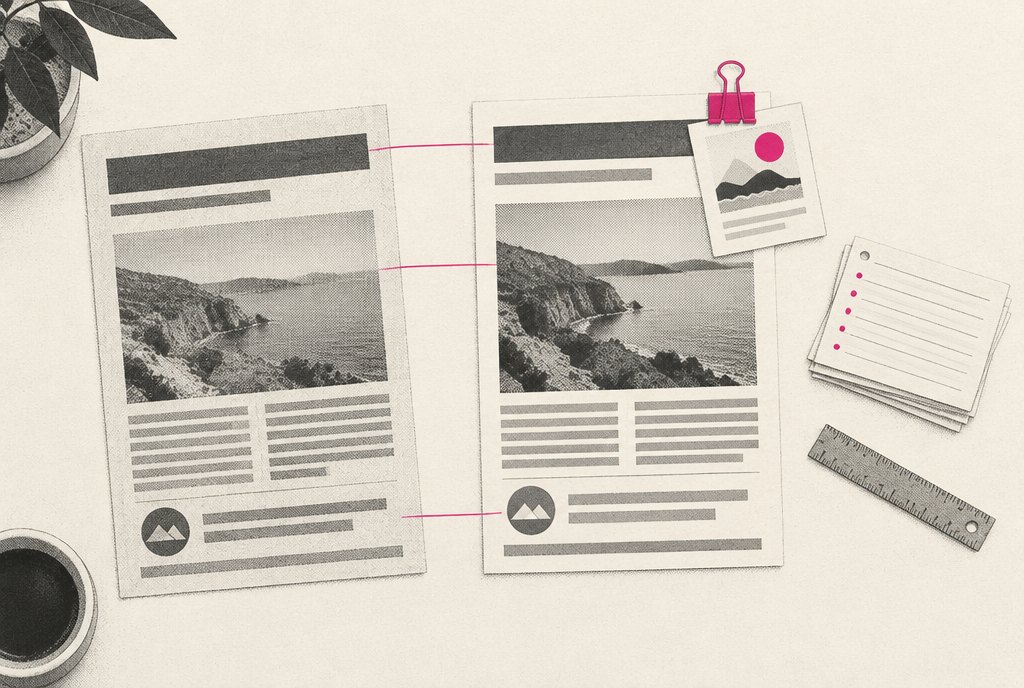
First, it rebuilds the design. Claude, Anthropic's model, studies the picture and rebuilds the layout as a web page with empty slots for words, photos and the logo. Studio renders that page, compares the result with the original picture, and fixes what does not match. It does this compare-and-fix pass twice. It also renders the layout once in a deliberately odd test palette. If any color in the rebuild does not change, it was typed in by hand rather than tied to the brand, and it gets fixed.
Then it fills the design for you. Words are written in your brand's voice. The offer can only be one of your approved offers. Reviews can only be real ones. Photos come from your own library, or are painted by an image model when you have none that fit. And the logo is whichever version of your logo stands out on that background.
The output is a finished image and a file our designers can keep editing in layers. It goes into the same approval queue as every other ad, so you approve it inside the real platform frame like anything else.
- 1Found adAny ad design our team spots, clips or uploads
- 2RebuildThe layout is rebuilt as a page, then compared and fixed twice
- 3Brand checkAn odd test palette proves every color comes from your brand
- 4FillYour voice, your approved offer, real reviews, your photos and logo
- 5ApproveIt joins your review queue like any other ad
What it borrows is the structure: where things sit and how the eye moves. It never carries over another brand's words, colors or pictures. Those all come from you.
The AI is not allowed to invent your offer
The fastest way to lose a client's trust with AI is a typo in the price. An image model asked to paint "$1 first class" will sometimes paint "$10." A writing model asked for a strong headline will sometimes promise a discount nobody approved.
So we split the work. AI models do what they are good at: understanding a layout, writing in a voice, painting a photo. The rules that matter are enforced in code, after the model is done.
- Words are set in real type by Studio, never painted into the image, so spelling is always right.
- Your real logo file is placed by Studio. The image model never draws it.
- An offer cannot slip in as a headline or a button, and "$1" can never become "$10."
- No review-site credit appears unless there is a real review behind it.
- After an image is painted, a second model compares it against your real logo and brand and marks problems as blockers or warnings.
AI models do what they are good at. The rules that matter are enforced in code, after the model is done.
One idea, every channel
A good ad idea rarely belongs in one place. Once an ad is right, Studio can carry it further without starting over:
- Video. A still ad can be animated into a short clip. The clean clip is kept, and the edit sits on top as layers: trim, speed, timed words, an end card and music. Changing those layers redraws the video in about 30 seconds with no AI cost, and our team can describe a change in plain words, such as "make the price bigger and end on the logo." The offer rule holds here too: a line that reads like an offer you have not approved is refused.
- Email. Nine email templates of our own, set in your brand, written by Claude or started blank, edited visually and exported as finished HTML with a share link for review.
- Landing pages. Six page designs of our own, written under the same offer and review rules, exported as a single file or shared as a hosted preview with working forms.
Source: Studio build notes, October 2026
Every correction makes the next one better
The first ad for a new client is never perfect. Someone says the price belongs in the first line. Someone moves the logo. Someone sends a photo back because it shows the wrong room.
Studio keeps all of it: change requests, hand edits to AI-written copy, notes on redone images, flags from the automatic checks, your comments and send-backs, notes from our client records, and a "Something wrong? Teach Studio" box under every result. Claude turns those signals into one-sentence lessons for each client, and every AI prompt reads your lessons before it writes a word. This has been live since October 5, 2026.
Not every signal is weighed the same. Something a person said directly counts 1. A change we only observed, such as an edit made without comment, counts half as much. When the same lesson shows up for 3 or more clients, Studio suggests it as a house rule, and an admin on our team has to approve it before it applies to everyone.
Two limits keep the loop honest. Lessons are guidance, never permission: your approved offers, real reviews and compliance rules are still enforced in code no matter what a lesson says. And the winners Studio learns from carry their style forward, never their offers; an old promotion is never quoted into a new ad. The same lessons also feed the test every new ad goes through, described in Test the ad before you see it.
Rebuilding a found ad by hand
A designer recreates the layout from scratch, retypes the copy, hunts for the right logo file and checks the price by eye. Corrections live in someone's memory.
Rebuilding it in Studio
The layout is rebuilt and checked against the original twice. Your offer, reviews and logo are guarded in code. Every correction becomes a lesson the next ad reads first.
None of this skips your approval. A recreated ad, a video, an email or a landing page all reach you the same way, and you approve the exact version, as covered in Approve exactly what will run. Studio can prepare ads for placement on Meta and Google, but that direct placement is built and switched off today, running only as a dry run. Our team places your approved ads for you.