Blog Inside Sneeze It · Inside Studio · Part 5
The browser button that puts everything we know about a business one click away
Our team spends its day in two places, the public Ad Library and other people's websites. So we built a Chrome extension that brings our own tools to both, in four versions over two days.

Most of the useful work in an agency happens in someone else's tab. A strategist finds a great ad in Meta's public Ad Library and wants to keep it. An account lead opens a prospect's website before a call and wants to know whether we have spoken to them before. Until recently, both moments ended the same way: a screenshot dropped in a folder, a second tab opened to look something up, a note written somewhere that nobody else could find.
So we stopped asking the team to leave the page. Sneeze It One is a Chrome extension our staff install from the Chrome Web Store and connect to Studio, our creative workspace. It does two things. On the Ad Library, it puts a Save to One button on every ad. On any other website, it opens a side panel with everything our own systems know about that business. It is an internal tool: it does nothing until a staff member connects it to Studio with their own key.
Save the ad, keep the ad
The Ad Library is the best free creative research tool in our industry, and it has one flaw for an agency: ads disappear. When Meta takes an ad down, the swipe file you meant to build goes with it.
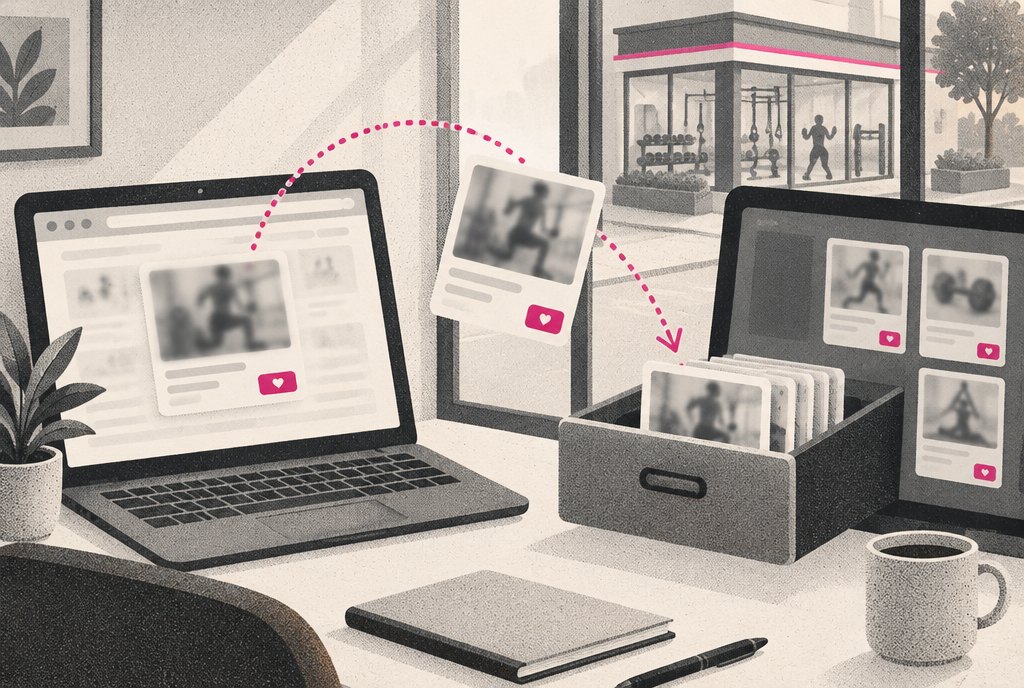
Save to One sits on each ad card. One click and the ad lands in Studio Research, in the team's Saved list or in a named collection, with the exact picture or video as it ran. Once it is saved, it stays, even after Meta takes the ad down. From the same card a strategist can Follow the advertiser, so Studio Research keeps pulling its new ads, or send the ad straight to Recreate for a client, which hands it to Studio to rebuild in a client's own brand.
- 1Ad LibraryA strategist spots an ad worth learning from
- 2Save to OneThe exact image or video goes to Studio Research
- 3CollectionFiled with others like it, kept after the ad is gone
- 4RecreateStudio rebuilds the idea in the client's brand kit
- 5ApprovalThe client approves exactly what will run
The point is not hoarding ads. It is that a good idea seen at 10:40 on a Tuesday can become a draft for a client the same morning, without anyone retyping, re-uploading or hunting for a screenshot. If you want the rest of that path, from an ad you like to your brand in minutes walks through what Recreate does with it.
Everything we know, on their own website
The second half of the extension is the side panel. Open any business's website, click the extension, and the panel asks Studio about that site. Studio in turn asks the Hub, our record of every client and prospect, and answers with a card: the business's stage with us, its brand, its industry, the accounts we have connected, and the latest notes from our team. Below that sits the business's Studio brand kit.
If the Hub has nothing, the panel says so and offers Add as a prospect. If the brand kit is empty, Pull branding from this site reads the website's colors and fonts into Studio. There is also a direct link to the business's ads in the Ad Library, which closes the loop with the first half of the tool.
Before the panel
Open the website. Open the portal in another tab. Search for the business by name, guess at the spelling, check notes in a third place, ask in Slack who spoke to them last.
With the panel
Open the website. Click once. The record, the brand kit and the latest notes are beside the page, and anything missing can be added from the same panel.
Version 1.2 added Recreate and Follow to the Ad Library card, and an Add note to the Hub button to the panel, which writes straight into the business's record. Those buttons are live on the server and published in the store; we are still finishing a full end to end test of every 1.2 button in daily use, and we would rather say that than imply otherwise.
The team should never have to leave the page they are on to find out what we already know.
Four versions in two days
We built the first version on October 6 and the fourth on October 7. That pace is not the story by itself. The story is why it was possible: almost all of the intelligence lives in Studio and the Hub, which already existed. The extension is a thin window onto systems we had built and tested. Here is where each version stands today, as plainly as we can put it.
| Version | What it added | Status |
|---|---|---|
| 1.0 | Save to One on the Ad Library | Built Oct 6 |
| 1.1 | The side panel on any website | Approved and published Oct 7, tested live |
| 1.2 | Hub notes, Recreate, Follow | Published Oct 7; full live test of every button still in progress |
| 1.3 | Actions served as data, starting with Hub tickets | Server side live Oct 8; extension submitted for store review Oct 7 |
Source: Sneeze It One build history
A tool that grows without an update
Version 1.3 changes how the panel grows, and it is the decision we are happiest with. Every Chrome extension change normally means a new version and a new store review. That is a fine safeguard and a slow way to add a button.
So in 1.3 the panel has an Actions section that is drawn from data Studio serves: a title, and then a list, a link or a form. The extension only knows how to draw those few shapes. It skips anything it does not recognize, and it only follows secure links. Studio decides what to show. The first action uses it: the business's open Hub tickets, plus an Open a ticket form built from the Hub's own request forms, the same forms the rest of the company uses. When we add the next action, it ships from the server, with no new extension version and no store review.
The server side of this is live as of October 8. The 1.3 extension itself was submitted for store review on October 7, and until it is approved, the Actions section is not in our team's browsers. The first real ticket opened from the panel is still ahead of us.
The extension is one small window onto a larger system. If you want to see the system it opens onto, one record, every tool explains why everything at Sneeze It reads from the same Hub record.